To convert a TikTok transcript to SRT, divide the speech into cues, give each cue a start and end time, and save the numbered blocks as a UTF-8 .srt file. Then import that file alongside the matching video and check synchronization. A paragraph of accurate words still needs timing before it can work as subtitles.
This guide starts with an original sample transcript and walks through the conversion. If you still need the words from your clip, start with how to get a TikTok transcript.
Key Takeaways
- SRT needs numbered cues, start and end timestamps, caption text, and blank lines between blocks.
- Timestamps must describe the exact video version you will edit or publish.
- Exporting SRT creates a separate subtitle file. It does not put visible captions into the video pixels.
- Review the beginning, middle, and end after importing to catch both fixed offsets and growing drift.
Before you begin: match the transcript to the video
Use a video you own or have permission to work with. Keep a copy of the exact edit that will receive the subtitles. A transcript timed against a full clip may stop matching after you remove an introduction, change playback speed, or insert another shot.
You will need the transcript, access to the audio, and an editor or player that can import SRT. A plain text editor also helps when inspecting a file that fails to import. The TikTok to SRT workspace provides an original sample for practicing this workflow. Use it to enter and review cue times, or practice with the original sample. TikTok link transcription depends on current service availability and can return plain and timestamped text rather than subtitle-ready cues. Assign and check start and end times before treating that text as SRT.
Step 1: turn paragraphs into timed cues
Separate the words into readable chunks before exporting. A transcript paragraph describes what someone said. An SRT cue also describes when the viewer should see those words.
For this example, the first two speech segments are:
| Start | End | Transcript text |
|---|---|---|
| 0.0 seconds | 4.1 seconds | You don’t need a perfect morning. You just need a small place to start. |
| 4.1 seconds | 8.8 seconds | For me, that means opening the window before opening my phone. |
The boundaries here belong to this original sample. Do not reuse them for a different clip with similar wording.
- Play the first sentence and note when speech begins.
- Set the cue’s end near the end of that speech, before the next cue begins.
- Repeat for the next sentence or phrase.
- Read the cues while listening, checking names, numbers, and omitted words.
Long segments may need several cues. Split at a natural phrase boundary, then assign times by listening to the corresponding speech. Dividing a paragraph into equal portions of time can put words on screen before they are spoken.
Step 2: write valid SRT blocks
The Library of Congress description of SubRip describes SRT as timed plain text arranged in numbered blocks. A block contains a numeric counter, a timing line with an arrow, subtitle text, and a blank line separating it from the next block. Times use hours, minutes, seconds, and milliseconds.
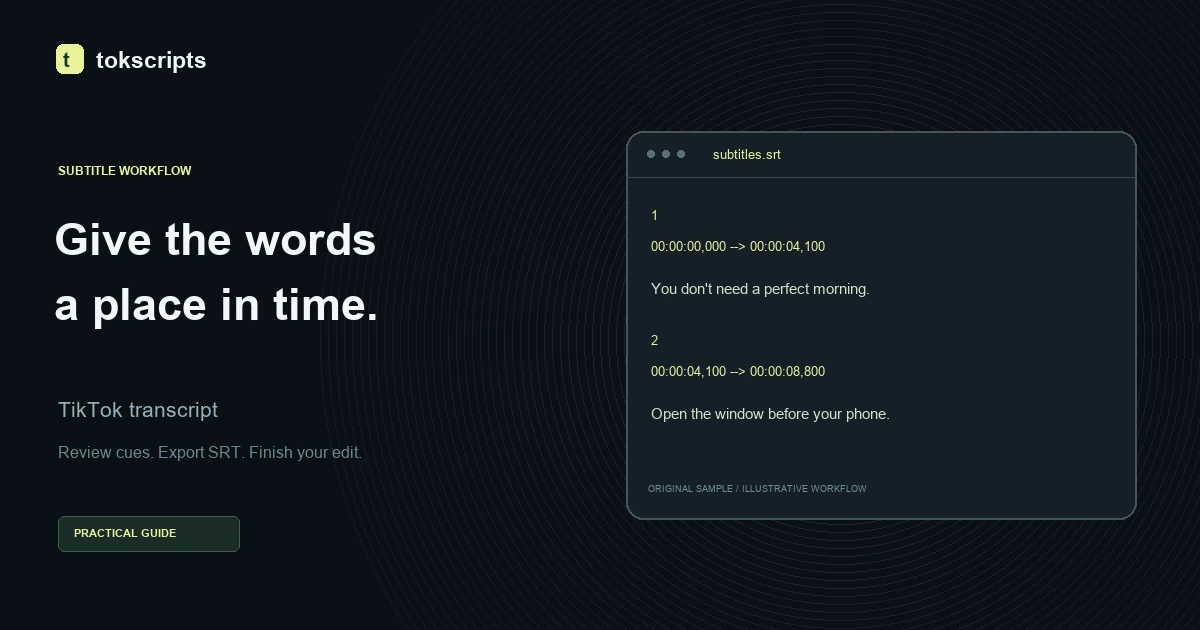
The sample becomes this file:
1
00:00:00,000 --> 00:00:04,100
You don’t need a perfect morning.
You just need a small place to start.

2
00:00:04,100 --> 00:00:08,800
For me, that means opening the window
before opening my phone.
Notice that 4.1 seconds becomes 00:00:04,100, not 00:00:04,001. The final three digits represent milliseconds: one tenth of a second is 100 milliseconds.
Check the structure before saving:
- Number cues consecutively, starting at
1. - Use the literal arrow
-->between the start and end time. - Use a comma before milliseconds in these SRT timestamps.
- Make every end time later than its start time.
- Put a blank line between cue blocks.
The line breaks in the example are editorial choices. They help group phrases, but they are not universal SRT character limits. Choose wrapping for the destination player, font, video dimensions, and reading experience. Preview vertical video on a narrow display rather than assuming a desktop line break will look right.
Step 3: export and inspect the file
Save the result as plain text with UTF-8 encoding and the .srt extension. A filename such as morning-routine.srt makes the format easy to identify. Check that your editor has not silently created morning-routine.srt.txt.
In the subtitle workspace, enter or review the cue text, start times, and end times, then download the SRT file. The supplied sample demonstrates the file structure; its times do not apply to your recording. You can compare the available transcript export formats before choosing: TXT is useful for reading, while SRT carries subtitle timing.
Open the downloaded file in a plain text editor once. Confirm that cue numbers, timing arrows, and blank lines survived the export. Check punctuation such as the curly apostrophe in don’t. Avoid saving through a word processor that adds document formatting.
Keep the transcript and video filenames related. For example, morning-routine.mp4 and morning-routine.srt are easier to pair during a handoff than two unrelated download names.
Step 4: check subtitles against the actual edit
Import the video and SRT into your subtitle editor or video editor. Support differs between applications, so confirm that your chosen destination accepts SRT. YouTube lists SubRip among its supported subtitle formats.
Watch the opening cue, a cue near the middle, and the final cue. Then play through the full clip. Check whether captions arrive with the speech, stay visible long enough to read, and disappear before unrelated speech begins.
If a cue feels crowded, shorten or rewrap it without changing the meaning. If you split it, give the new cue its own timing. Check names and technical terms against the audio, and watch for captions covering important on-screen information.
Fix subtitle import and timing problems
| Problem | What to check | Practical fix |
|---|---|---|
| Every cue appears equally early or late | Whether the video has an added intro or a trimmed opening | Shift all cue times by the measured offset, then verify several points. |
| Timing starts correctly but gets worse | Whether playback speed, duration, or edits differ from the source used for timing | Align to the final video version and retime affected sections. A single shift cannot fix growing drift. |
| Apostrophes or accented letters look garbled | The file’s text encoding and the importing application’s interpretation | Save a fresh UTF-8 copy, reopen it, and import that copy. |
| The editor cannot find or recognize the file | Its full filename and actual contents | Remove an extra .txt suffix and confirm it contains plain SRT text rather than a formatted document. |
| A cue disappears or fails to import | Missing blank lines, malformed arrows, or invalid timing | Repair the affected block and confirm its end is later than its start. |
Choose a separate subtitle file or visible captions
An SRT export gives you a subtitle sidecar. A player or publishing platform must load it to show the captions. Burning captions into a video is a separate rendering step in a video editor; the resulting text becomes part of the picture.
For a reusable handoff, keep the final video, corrected SRT, and readable transcript together. If your next task is extracting hooks or research notes rather than publishing subtitles, prepare the TikTok transcript for AI agents and retain source references alongside the text.
The successful conversion is a file that imports cleanly and stays synchronized with the matching video. Treat both checks as part of the export, especially after any edit to the clip.